"defrag" error on IODD virtual CD-ROM
IODD's virtual CD-ROMs like the ST300 and MINI often display "defrag" when attempting to mount newly-imported ISO images, as detailed by ./techtipsy.
The IODD Guide explains that "The ISO/VHD file is too fragmented to load (Max 24 fragments for ISO; 0 for VHD)." and suggests "Use defragmentation utilities like MyDefrag (dead link) or Defraggler."
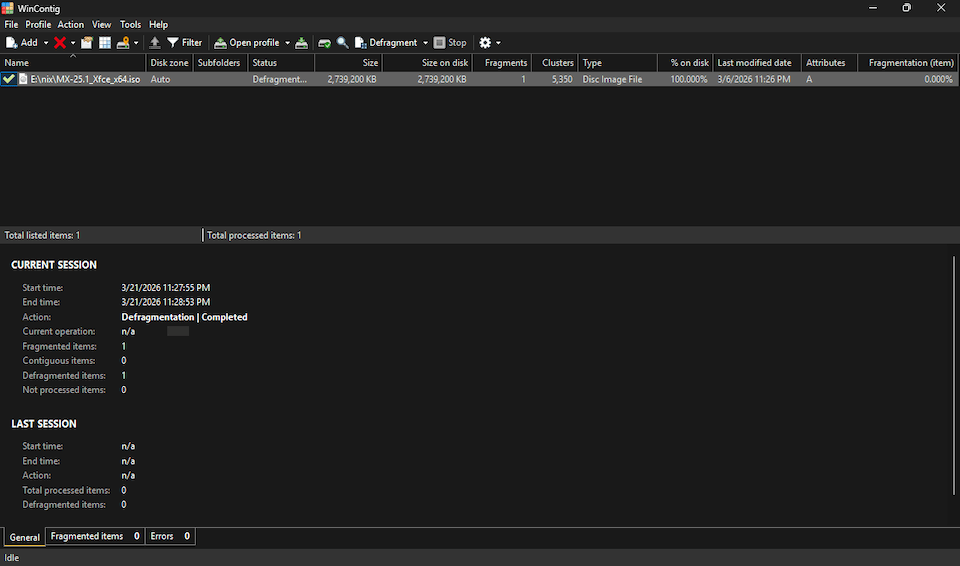
Another option is WinContig (H/T), a green, portable app that merited a rare addition to the System page:
🌱 WinContig v5.0.3.3 [961K] + "Quickly defragment individual files without the need to defragment the entire disk." Supports Windows Vista through 11, server versions from 2008 to 2019, and FAT, FAT32, exFAT, NTFS, and ReFS filesystems. 📺
Updates
Initially skipped SysInternals' Contig, believing it only supported NTFS as claimed on Wikipedia ("Supported file systems: NTFS") and even more explicitly on Grokipedia ("It exclusively supports the NTFS file system, leveraging the native Windows NT defragmentation API introduced in NT 4.0, and does not function on FAT, exFAT, or other file systems."). However, version 1.83 successfully defragmented an ISO file on an exFAT-formatted drive.
IODD offers VHD Tool++, a portable app with a number of functions including file defragmenting. However, the current version (0.8.0.1) simply wraps Contig, which is bundled inside. (Curiously, VHD Tool++ is not mentioned on IODD's own error messages page, which instead recommends MyDefrag and Defraggler as noted above.)
Attempting to load newly-imported ISOs on an IODD MINI caused it to freeze. Contig reported the files as fragmented; defragging them resolved the issue.
❧ 2026-03-22